Auto Short listens to the whole video, scores the moments that would work vertically and builds them in 9:16 with subtitles. It all happens on your computer, so the video never gets uploaded.
It's a desktop app for Windows. An engine installed on your PC does the processing and the interface opens in your browser. It can't run on a phone, so grab it from your computer.
Every moment gets a score. You build the ones you like.
No prep and no account. Here's what happens once you click.
Whisper turns the audio into text word by word, with timestamps. If you have an NVIDIA card, switch it on and it gets a lot faster.
Claude reads the transcript, finds the strongest hook to open with and keeps the end of the story intact. That text is all it ever gets.
Each cut is framed in 9:16 around whoever is talking and the karaoke subtitles are burned in. It also saves an XML in case you want to tweak it.
The short lands in your export folder as H.264. If the AI doesn't answer, you still get it with a simpler cut plan.
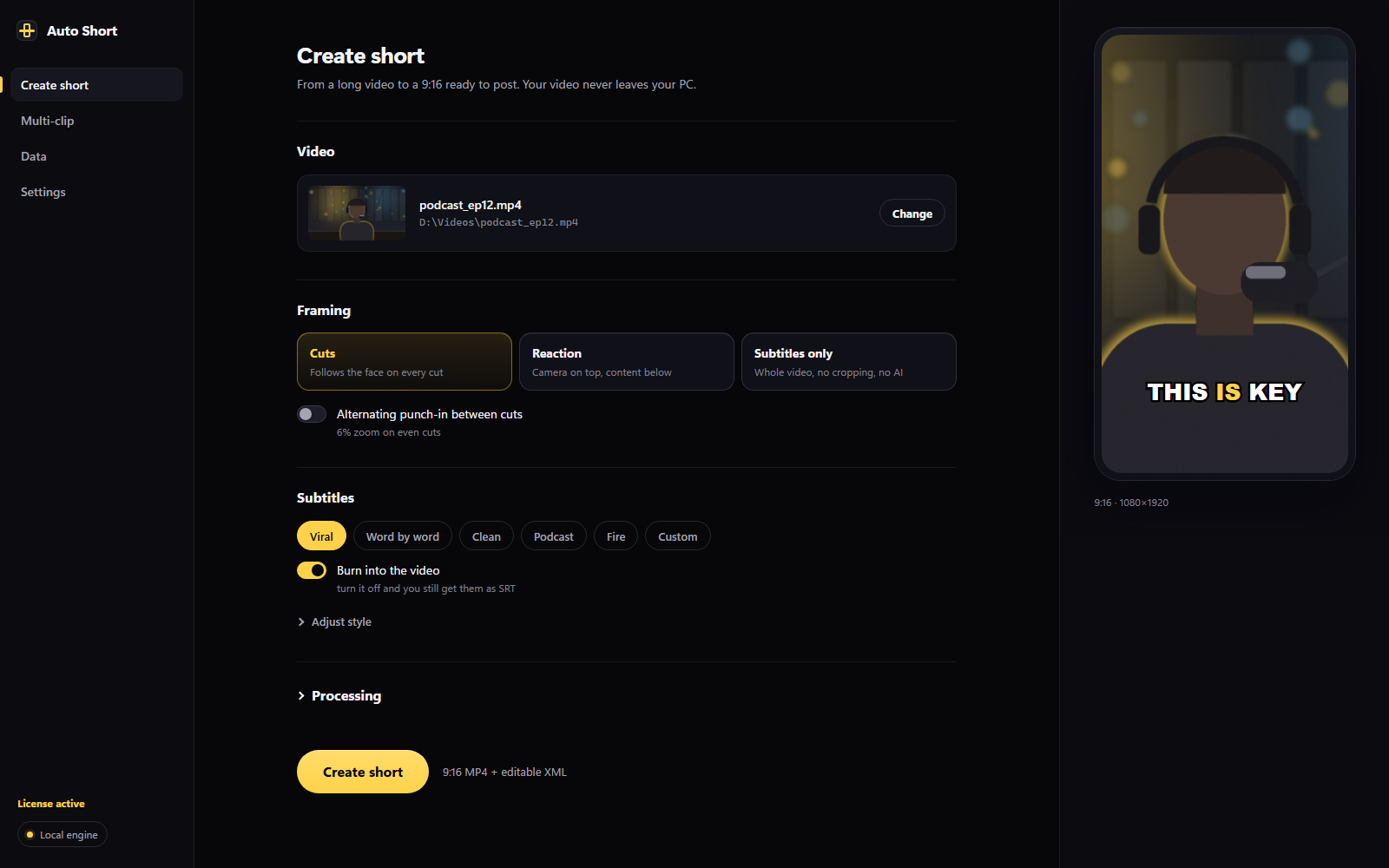
A short from a single clip, a streamer-style vertical, or a batch of shorts pulled from a long video. In all three, the video is processed on your PC.
For talks, podcasts and tutorials. It trims what you don't need, frames the speaker and adds subtitles. You get the MP4 plus an XML to fine-tune in your editor.
For streams and reactions: your camera on top, the game or screen below. Recording with two cameras? Add the second one and place each box by hand before rendering.
Give it a long stream and it hands back a list of moments scored from 0 to 100. Check the ones you want and they get built one after another.
In the app you drag the webcam box over your video and see the vertical right away. Here's a simplified version to play with.
The 16:9 clip is cropped to 9:16 around the person and the subtitles pop in word by word, in time with the voice.
Cloud tools usually hand you an MP4 you can't touch, and only after you've uploaded the whole video. Here the video stays put and the result stays editable.
In Cuts mode an XML (Final Cut Pro 7 format) with the cuts and framing is saved next to the MP4. Open it in your editor and adjust whatever you like without starting over.
One to three words on screen, synced to the voice and burned into the MP4. The SRT is saved too.
The AI opens with the strongest moment in the clip and isn't allowed to cut the ending, so the punchline survives.
The app finds the face in every cut and places the vertical crop around it. There are no keyframes to move.
It analyzes a long stream, sorts the moments by score and builds the batch you pick.
Camera on top and content below, with an optional second camera for when there are two of you.
Anywhere from 15 seconds to 3 minutes. The cut plan adapts to the length you pick.
The AI does similar work in both. What changes is where your video gets processed and what you walk away with.
You pay monthly and the AI is already included. Cancel whenever you want from the customer portal.
Taxes depend on your country. Payment is handled by Polar.
A Windows 10 or 11 PC, a browser such as Chrome or Edge, and an internet connection for the AI part. Transcription and editing run on your machine. An NVIDIA card makes transcription faster, but you don't need one.
Yes. Windows shows that warning for installers that don't have a digital signature yet, and it doesn't mean there's a virus. Click More info and then Run anyway. It installs for your user only and doesn't ask for admin rights.
No. The video, the audio and the finished short stay on your PC. Our server only gets the transcript text to decide the cuts, and we don't keep it.
No. AI usage comes with the subscription. You only need to paste your license key once in the app Settings.
Yes. In Cuts mode, next to the MP4 you get an XML with the cuts and framing that opens in your video editor, plus the subtitles as SRT.
Yes, with Multi-clip. The app analyzes the whole video, shows you the best moments with their scores and builds the ones you check, one after another, on your PC.
It's a vertical with your camera on top and the game, or whatever you're sharing, below. You place the camera box over your video and the app builds the MP4 without you lining anything up by hand.
You get 3 AI shorts free every month, no card needed. You can also try Multi-clip once: analyze a video and build its 5 best moments. The quota is per device and resets every month.
The app stays installed, but the AI part stops working when the period you paid for ends. You can turn it back on whenever you want from the customer portal.
Yes. If it isn't working for you within the first 14 days, write to us and we'll give you your money back.
Download the app, pick a video you already have and see which shorts come out. The first three every month are free.